Secure Authentication and SSO for Business Apps
Why authentication is your first line of defense
Most breaches don't start by cracking complex encryption — they start with a stolen account. That's why authentication — how a user proves they really are who they claim — has become the most important security layer in any business app. A password alone is now too weak to rely on: it gets leaked, guessed, and reused across many sites.
What makes authentication secure?
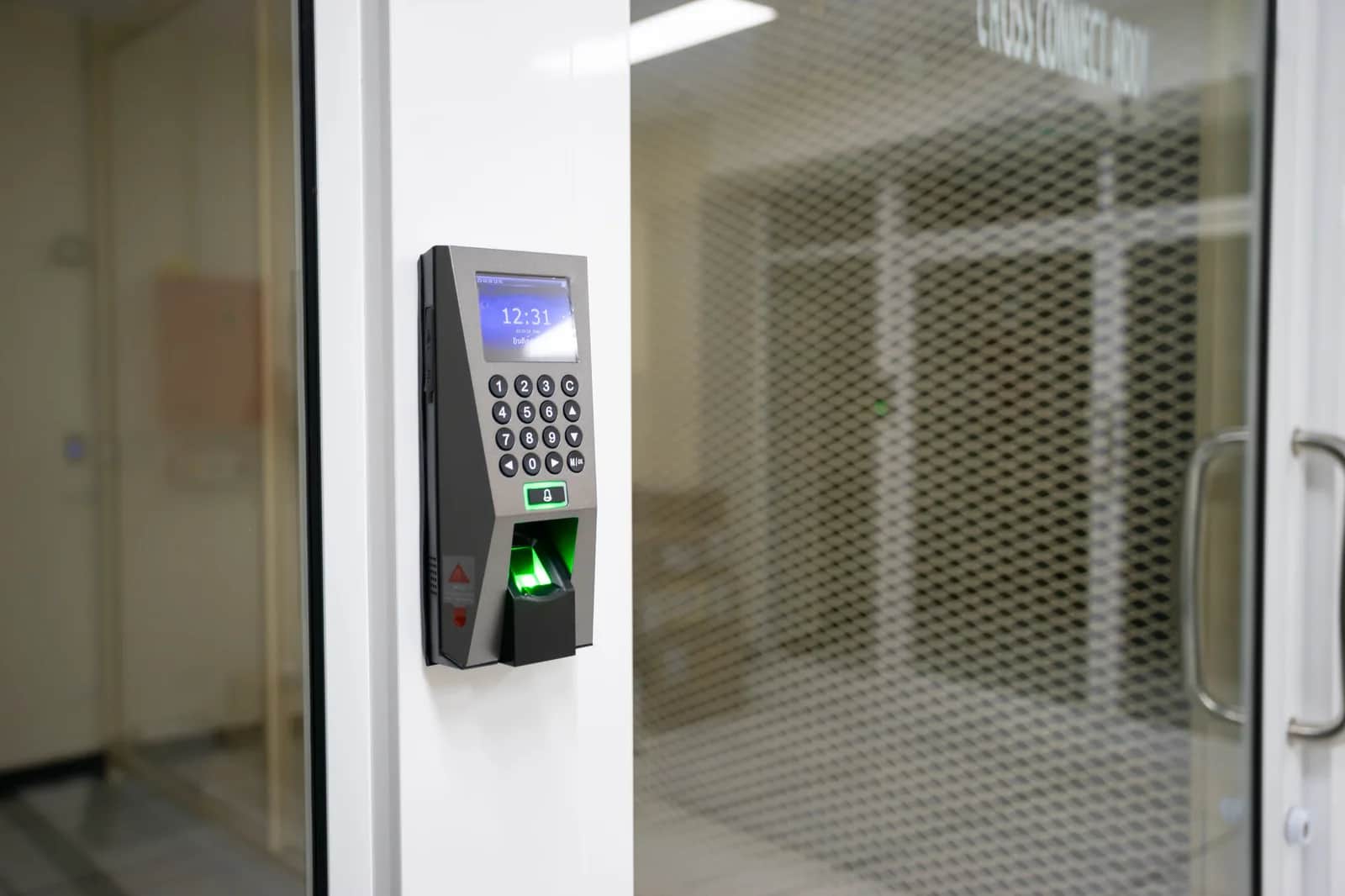
- Multi-factor authentication (MFA): Adding a second factor (a code on the phone or a fingerprint) makes a stolen password useless on its own.
- Proper password storage: Stored hashed, never as plain text, so even a leaked database doesn't expose them.
- Tight session management: Expiry, secure logout, and tokens that can't be reused.
- Smart policies: Detecting suspicious login attempts and rate-limiting instead of burdening users with complex rules.
What is Single Sign-On (SSO)?
SSO lets a user sign in once to access several applications without re-entering credentials each time. Imagine an employee opening email, the HR system, and the CRM with one secure login. The benefit is twofold: an easier experience, and higher security because identity management is centralized in one well-controlled place instead of scattered passwords.
Every extra password your employee carries is another door that might be left open.
When do you need SSO?
The more applications your team uses, the more valuable SSO becomes: fewer forgotten passwords, enabling and revoking an employee's access from one place (crucial when they leave), and applying unified security policies. For organizations handling sensitive data, SSO with MFA has become a standard, not a luxury.
How Origami helps
At Origami, we build authentication to modern standards (MFA, secure storage, sound session management) and integrate your apps with standard SSO solutions like OAuth 2.0 and OpenID Connect, or connect them to your existing corporate identity. Our goal is strong security that doesn't slow your staff down.
Frequently asked questions
What's the difference between SSO and MFA?+
SSO unifies login across several apps with one sign-in, while MFA adds a second verification factor to strengthen the login itself; the strongest approach combines both.
Does SSO reduce security because it's "one key"?+
On the contrary, when done right: security is concentrated in one well-controlled point with MFA and monitoring — better than dozens of weak, scattered passwords.
Do I need SSO for a small business?+
If your team uses several apps, yes — it simplifies management and closes the forgotten-account gap when employees leave.
What about external users (customers)?+
You can offer login via trusted providers (like Google) or a national digital identity, while keeping the same security standards.
Follow Origami in Google
Pin Origami as a preferred source and our articles will surface first for you in Google Search and Top Stories.
Related articles
- CybersecurityPatching Magento Alone Won't Save Your Store — Attackers Were In Three Days EarlierCVE-2026-75650 in Magento and Adobe Commerce scores a perfect 10 and was exploited three days before Adobe's patch. What is affected, how to check your store, and why updating is not enough.
- CybersecurityBlack Hat 2026 Enterprise Java Flaws: Why Your Internal System Is Not SafeBlack Hat 2026 research exposed 12 enterprise Java flaws, including pre-auth remote code execution in Bonita BPM and Apache OFBiz. What it means for your business systems.
- CybersecurityAI Just Found Cryptography Weaknesses Experts Missed: What It Means for Your BusinessAnthropic's AI found new weaknesses in HAWK post-quantum cryptography and AES. Nothing you use today is broken — here's what it means for your business.
- CybersecurityCisco Antares: Open-Weight AI That Scans Your Code for Security Flaws, LocallyCisco released Antares, an open-weight model family that locates security vulnerabilities in code, runs on your own hardware, and costs 172x less than frontier models.
- CybersecurityAnti-Piracy and DRM for Live Sports Streaming: Protecting World Cup 2026 BroadcastsHow are World Cup 2026 broadcasts protected from piracy? Inside DRM, forensic watermarking, and automated takedowns, and the lessons for any Saudi content platform.
- CybersecurityCybersecurity for Major Sporting Events: World Cup 2026 Lessons for Saudi BusinessesWhy tournaments like the 2026 World Cup attract cyberattacks, and what Saudi business owners can learn to protect their stores, systems, and customer data at peak load.
Have a project in mind?
We build custom systems, apps and websites for your business. Tell us your idea and we will give you a straight answer on it.
